
You received an email asking for compliance documentation. It was sent through Certivo on behalf of one of your customers. This page explains who Certivo is, how to check the email is genuine, and what happens next.
Who is Certivo?
Certivo is the platform your customer uses to collect and manage product compliance information from their suppliers. The request comes from your customer. Certivo sends it, gives you a place to respond, and keeps track of the responses for them.
How to tell the email is genuine
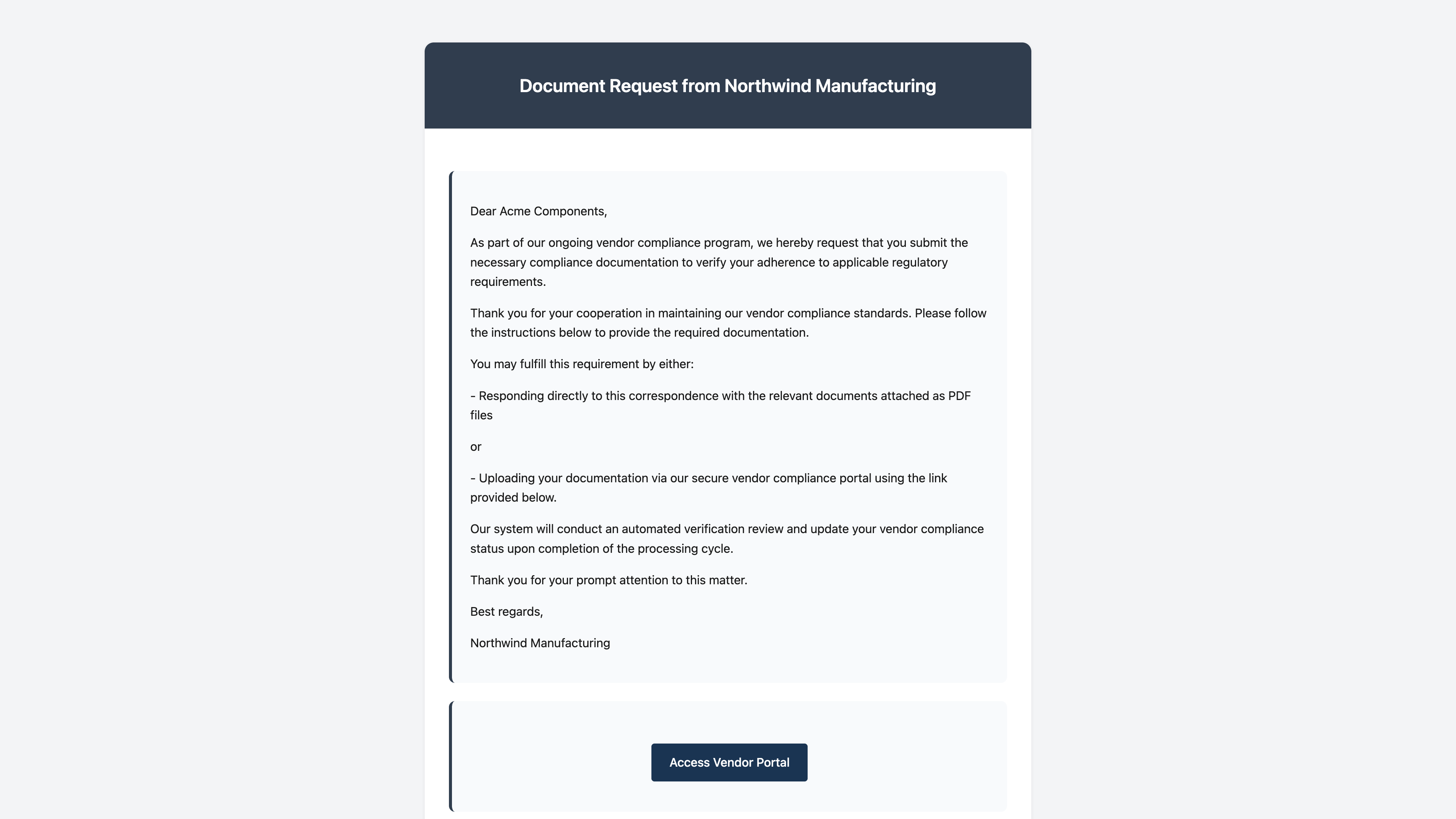 (opens a larger view)
A request sent through Certivo has these features:
- The sender's address ends in
@mail.certivo.com. It usually starts withsupplier-requests-followed by your customer's name. - It names your customer. The heading reads "Document Request from" followed by the customer's company name, and the subject usually reads "Compliance Documentation Request from" followed by the same name.
- It has a button labeled "Access Vendor Portal". The button opens a page on a certivo.com address.
- It lists what is being asked for. A table headed "Pending Compliance Actions" shows the parts or products and the task for each one.
- You confirm your email address to get in. The portal asks for your email address and sends you a one-time code. You can also sign in with a Google or Microsoft account. You do not need to create a password.
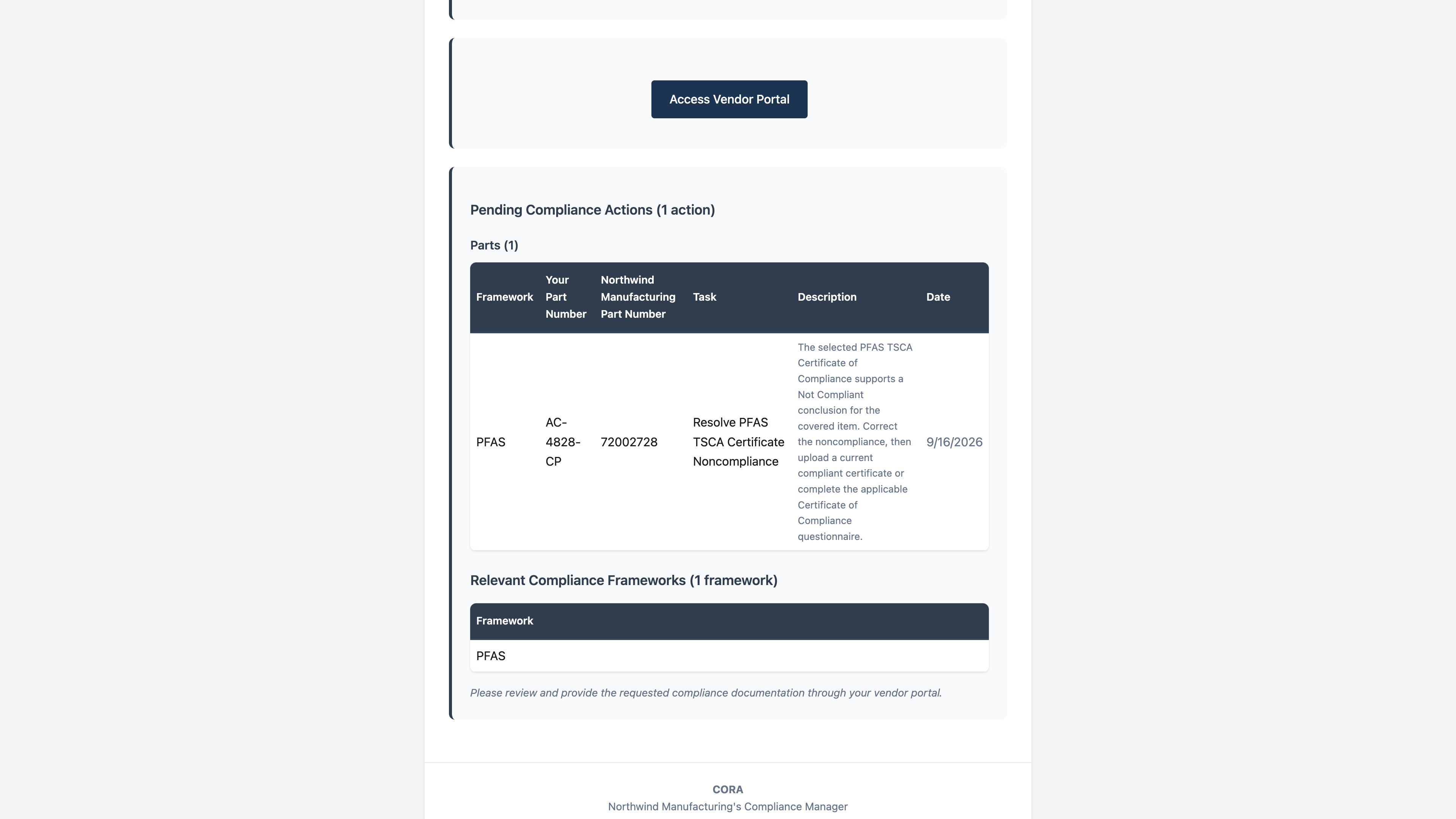 (opens a larger view)
Why your customer is asking
Regulations such as RoHS, REACH and PFAS rules require companies to show what is in the products they sell. That reaches back to the parts and materials you supply, so your customer needs information from you to meet their own obligations.
You may be asked for:
- A certificate of compliance for a regulation
- A full material disclosure for a part
- A conflict minerals report (CMRT or EMRT)
The documents you may be asked for explains each one.
What to do next
- Select Access Vendor Portal in the email.
- Sign in with your email address and the one-time code you are sent, or with your Google or Microsoft account.
- Review your requests, then upload a document or fill in a questionnaire for each one.
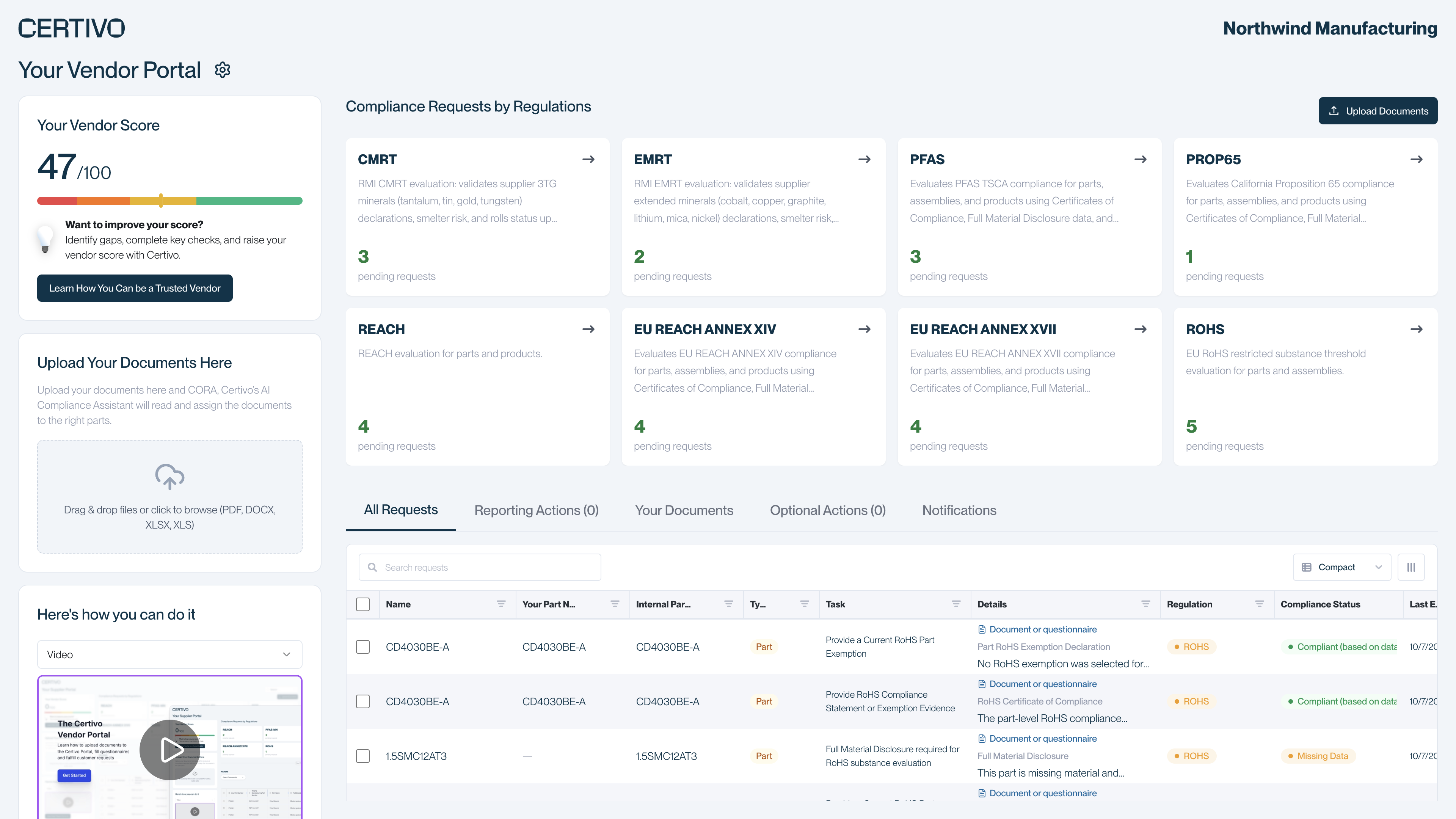 (opens a larger view)
Respond to a request walks through each step.
You can also reply to the email with your documents attached as PDF files. They go to your customer for review. In the portal you can attach each document to the request it answers.
Why you may get the email more than once
Certivo sends a reminder at an interval your customer chooses, for as long as you have open requests. A reminder is the same email, with the list of pending requests brought up to date. Its subject usually starts with "Update:". Reminders stop once every request is complete.